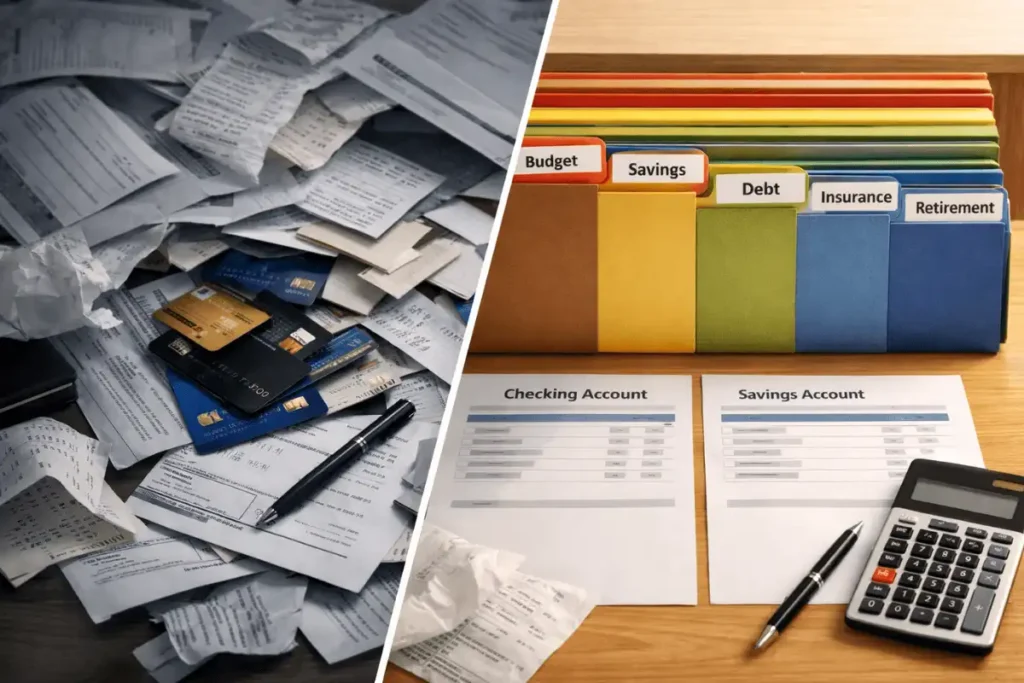

I once let a “free trial” quietly turn into a $11.99/month line item for months. Add a spontaneous Friday splurge, and by Sunday I’d be stress-scrolling my bank app. If that sounds familiar, you’re exactly who I wrote this for. In 2026, the best personal finance apps are genuinely powerful—AI categorization, subscription alerts, joint budgets, even bill negotiation—but the choices are overwhelming. After testing these tools with my own messy money life (multiple cards, a sleepy credit union account, small investments), here’s what works, what to watch, and how to use your app without letting it use you.
For a bigger-picture playbook on budgeting, saving, and investing fundamentals, explore our flagship resource: Personal Finance Guide.
Table of Contents
Why 2026 Feels Different for Money Apps
We’re past the “Mint era,” and into a world where more than two-thirds of U.S. adults use money tools beyond their bank’s default app. Gen Z and Millennials crave automation (round-ups, alerts, and AI suggestions), and busy families want clarity without spreadsheets. Meanwhile, subscription fatigue is real. Plenty of people are paying for two or three apps when one would do the job.
The takeaway? The best personal finance apps in 2026 nail three things: non-annoying automation, clean dashboards, and honest pricing. If they’re not saving you time or money within a month, they’re not it.
How I Tested (and What Actually Matters)
I synced checking, savings, credit cards, and a brokerage account. I tested budgets for a typical U.S. household (rent/mortgage, groceries, gas, subscriptions, student loans), then stress-tested with travel and irregular income.
Key criteria for U.S. users:
- Bank and card sync that just works (via reliable aggregators like Plaid)
- Clear dashboards and simple setup
- Transparent pricing with real value
- Security and privacy (review the app’s policies; the FTC enforces deceptive practices—learn more at ftc.gov)
- Automation that helps but doesn’t take over your brain
- U.S.-centric features like credit score tools, Roth IRA nudges, and bill reminders
Pro tip: An app is only “best” if it fits your habits. Trial one for 30 days before committing. The best personal finance apps let you see quick wins without 20 hours of setup.
The Best Personal Finance Apps of 2026 (Quick Picks)
- You want the most polished all-in-one: Monarch Money
- You love zero-based budgeting and structure: YNAB
- You need to crush subscriptions and negotiate bills: Rocket Money
- You’re fee-averse and want early paycheck access: Chime (with partner banks)
- You want customizable insights without ads: Copilot
- You’re focused on debt payoff visuals: Debt Payoff Planner
- You want AI-guided debt reduction and credit tracking: Bright Money
- You love digital envelopes (family-friendly): Goodbudget
All-in-One Budgeting Winners
Monarch Money, YNAB, Rocket Money — Side-by-Side
| App | Price | Bank Sync | Automation | Best For |
|---|---|---|---|---|
| Monarch Money | $14.99/mo or $99/yr | Yes | Strong auto-tagging | Couples/families, power users |
| YNAB | $14.99/mo or $109/yr | Yes | Moderate | Goal-setters, detail lovers |
| Rocket Money | Free; Premium $6–$12/mo | Yes | Excellent | Subscription wranglers |
Monarch Money (my daily driver for shared budgets)
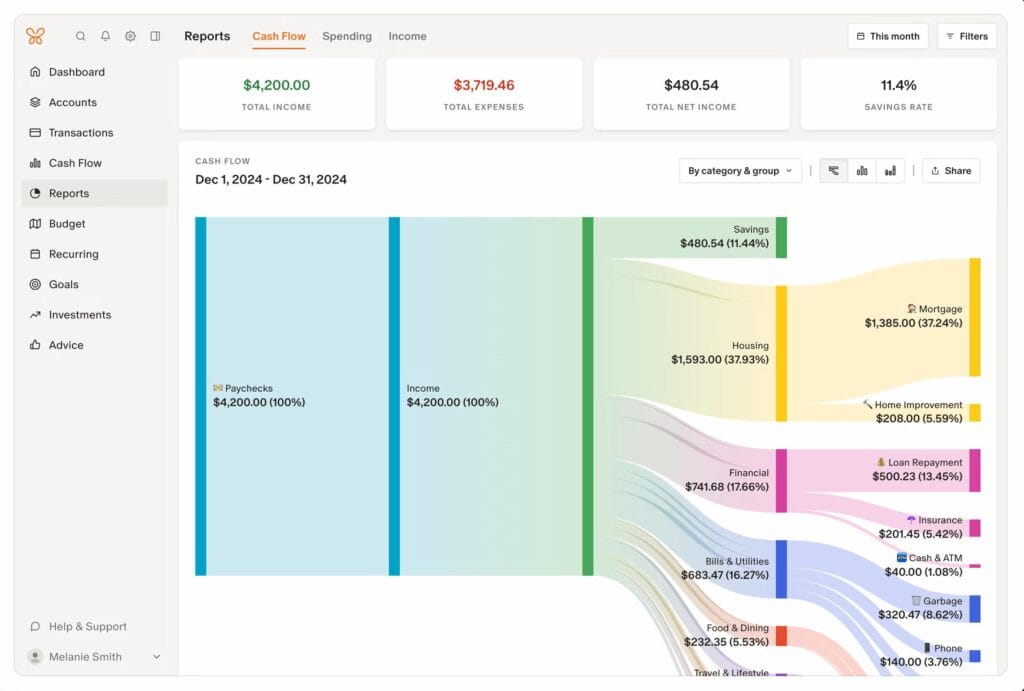
Monarch’s dashboard is a calm command center. After syncing every account (even my tiny local credit union), I started using its Sankey-style cash flow view to spot waste. It’s fantastic for couples or roommates; you can share your plan without sharing every login. You get goals, clean categorization, and strong reporting.
What I wish it had: built-in credit score tools and multi-year comparisons that don’t require exports. Still, if you want one place for money views while collaborating with a partner, it’s hard to beat. Among the best personal finance apps, Monarch blends power with clarity.
YNAB (the mindset shift app)
YNAB’s zero-based budgeting gives every dollar a job—like a digital envelope system. My first week felt clunky; week two felt freeing. Workshops and community support are excellent. Downsides: limited forecasting and no credit score tracking. Upsides: less money anxiety, more intention.
If you’ve ever thought “where did it go?” at month end, YNAB’s method can be life-changing. It’s often listed among the best personal finance apps because it teaches you to plan, not just track.
Rocket Money (formerly Truebill)
Rocket Money found three stealth subscriptions I’d forgotten. The premium tier adds custom categories, automatic net-worth tracking, bill negotiation, and credit score monitoring. The interface is intuitive, especially if you manage lots of recurring bills.
Tip: Use its subscription view quarterly. You’ll save real money—fast.
Saving, Banking, and Investing
| App | Price | Investments | Standout | Good For |
|---|---|---|---|---|
| Chime | Free | No | Early pay, fee-light design | Overdraft-averse users |
| Copilot | $7.92/mo (annual) | Yes | Custom dashboards, ad-free | Insight seekers |
Chime (fintech with partner banks)
Chime is a financial technology company, not a bank. Banking services are provided by partners; deposits are FDIC-insured up to legal limits. Chime shines with early direct deposit and a clean, fee-light approach. Its high-yield savings APY changes over time—check the latest rate before moving money. No investment tracking, but it plays nicely with apps like PayPal and Venmo.
If you’re rebuilding habits and want fewer fees, it’s a reliable starting point.
Resources: Read about FDIC insurance limits at fdic.gov.
Copilot (post-Mint favorite for clarity)
Copilot’s superpower is a calm, customizable dashboard—no ads, no noise. AI categorization is quick, and net worth tracking includes property estimates and investments. The budgeting tools are good (not as deep as YNAB), but its “money picture” is excellent.
If you want beautiful, flexible views without being pushed to upgrade constantly, Copilot is a breath of fresh air.
Debt and Credit Management Apps
| App | Price | Main Feature | Best For | Credit Tools |
|---|---|---|---|---|
| YNAB | $14.99/mo or $109/yr | Zero-based budgeting | Structured payoff plans | No |
| Debt Payoff Planner | Free; $2–$3/mo | Visual payoff timelines | Snowball/avalanche users | No |
| Bright Money | $6.99+/mo | AI-guided paydown | Busy users with multiple cards | Yes |
If debt is your main battle, a specialized tool can accelerate wins. Debt Payoff Planner makes the math visual and motivating. Bright Money automates repayment sequencing and monitors credit—useful if you juggle multiple APRs.
For credit education, the CFPB has excellent, plain-English guides: consumerfinance.gov.
Direct Comparisons That Matter (Privacy, Credit, Family Use)
| App | Credit Score | Family/Shared | Privacy Clarity | Subscriptions |
|---|---|---|---|---|
| Monarch Money | No | Yes | Very clear | Yes |
| YNAB | No | Yes (YNAB Together) | Very clear | No |
| Rocket Money | Yes | No | Clear | Yes (great tools) |
| Chime | Builder tools | No | Strong | No |
| Copilot | No | No | Transparent | No |
Privacy basics: U.S. privacy law is a patchwork (think CPRA in California, VCDPA in Virginia, plus new state laws like New Hampshire’s). Read each app’s policy, and check data export/delete options. The FTC pursues companies that misrepresent their practices—see guidance at ftc.gov.
Hidden Gems and Rising Stars
- Debt Payoff Planner: Dead-simple snowball/avalanche visualizations and progress charts.
- Goodbudget: Digital envelope budgeting that’s family-friendly and privacy-forward. Manual entry on the free tier can be a feature, not a bug.
- Bright Money: AI-driven debt sequencing and credit tracking for people who want fewer decisions.
These aren’t always the loudest—but they’re regularly recommended by real users in Reddit budgeting communities and Bogleheads-style forums.
How to Maximize Your App in 30 Days
- Start with one account: Link your main checking first to avoid sync overload.
- Set two concrete goals: Example—$1,500 emergency fund and “pay off Card A by October.”
- Turn on smart alerts: Bills, large purchases, low balance, and recurring charges.
- Review your categories weekly: AI is good, not perfect. Fixing mislabels keeps insights sharp.
- Audit subscriptions every quarter: Use Rocket Money or do a manual scan. Cancel what doesn’t serve you.
- Export once a month: Save a CSV or PDF for a personal “paper trail.”
When used this way, the best personal finance apps go from “neat toy” to “quiet money coach.”
Pros, Cons, and Pitfalls
The good
- Convenience: Real-time views of spending, cash flow, and net worth.
- AI boosts: Helpful categorization, reminders, and “nudge” insights.
- Motivation: Goals, streaks, and clean visuals that reduce money stress.
The not-so-good
- Subscription creep: Paying for two apps to do the same job.
- Overreliance: If an integration breaks, your plan shouldn’t.
- Data sensitivity: Know what you share, and how to revoke access.
Common pitfalls
- App-hopping every month. Learn one system deeply instead.
- Ignoring manual review. Automation saves time, not judgment.
- Paying premium before getting value from free/trial features.
Security and Trust Basics (No Scare Tactics)
- Aggregators like Plaid and Finicity are widely used to connect accounts. You can revoke access anytime in their portals.
- Use unique passwords and enable two-factor authentication (2FA) everywhere.
- Prefer apps with transparent policies and export/delete controls. If the privacy policy is vague, I pass.
Authority resources:
- FTC privacy & security guidance: https://www.ftc.gov/business-guidance
- CFPB budgeting basics: https://www.consumerfinance.gov/
Which App Should You Pick?
Not sure which app should be your personal finance app? try this.
- “I want one place for everything” → Monarch Money
- “I need structure that changes my behavior” → YNAB
- “I’m bleeding on subscriptions and late fees” → Rocket Money
- “I just need simple, fee-light banking” → Chime
- “I want an elegant, ad-free money view” → Copilot
- “Debt payoff is priority #1” → Debt Payoff Planner or Bright Money
- “We budget as a family with envelopes” → Goodbudget
These are the few of the personal finance apps for different lifestyles, not just one “winner.” Match the tool to your season.
Final Take: Small Apps, Big Habits
No app is magic. But paired with simple routines—weekly check-ins, subscription audits, and two clear goals—the best personal finance apps can lower stress and increase savings. Try one for 30 days. Track how you feel and what actually changes. Share your wins and fails in the comments so we can all learn faster.
If an app isn’t saving you time or money by next month, cancel without guilt. The right tool is the one you’ll open every week—and the one that quietly helps you spend better, save more, and sleep easier.
The app which is best suited for me might not be the best personal finance app for you, please give a try for few days and decide on your own.